

"Now playing" never updates
The station may not be sending updates to the server, or the field may be fixed by configuration.
Online radio metadata is the layer of information that travels alongside an audio stream: station name, current track, program, codec, and sometimes artwork. This guide explains where that data comes from, why quality varies between stations, and what listeners actually see in a modern radio player.
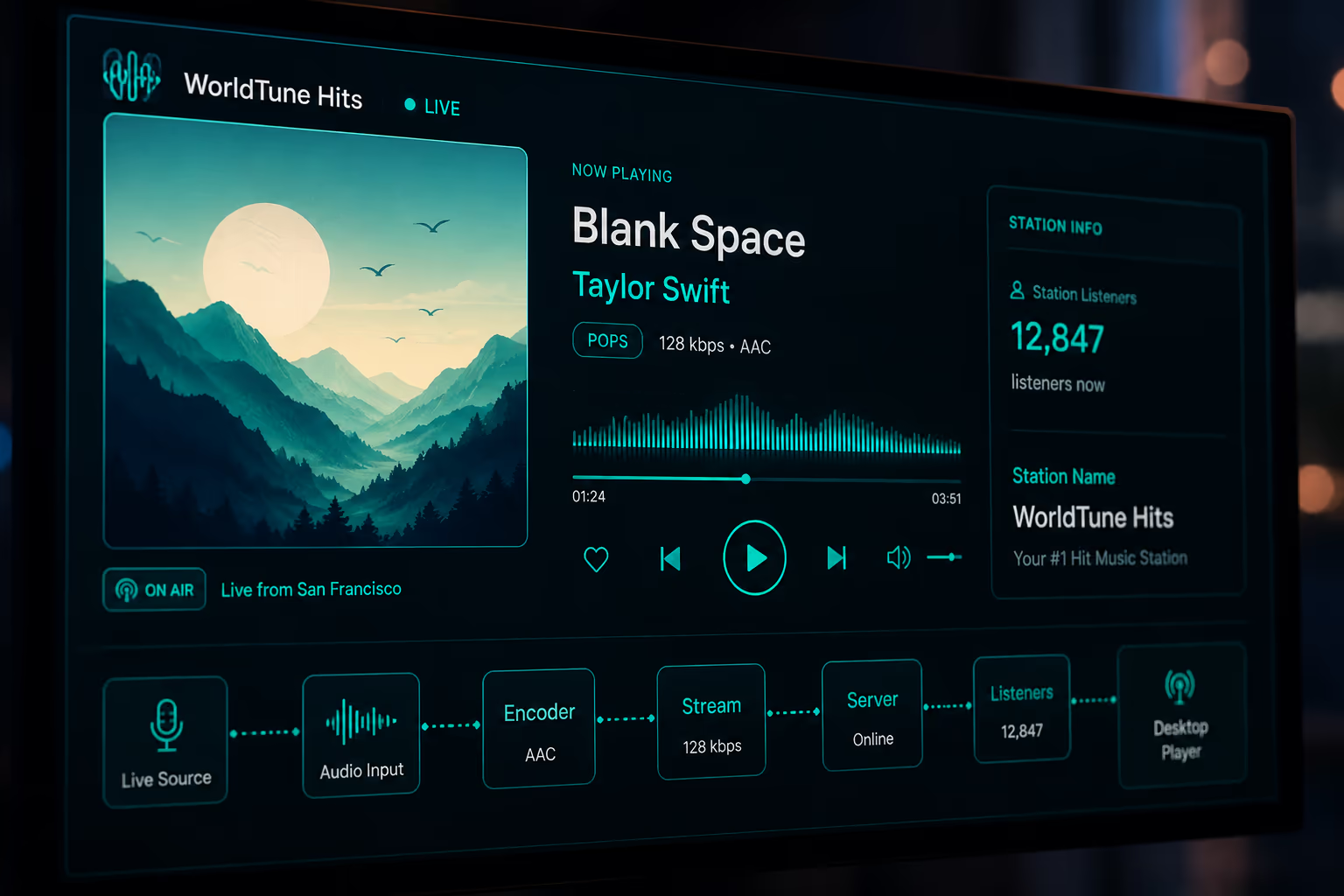
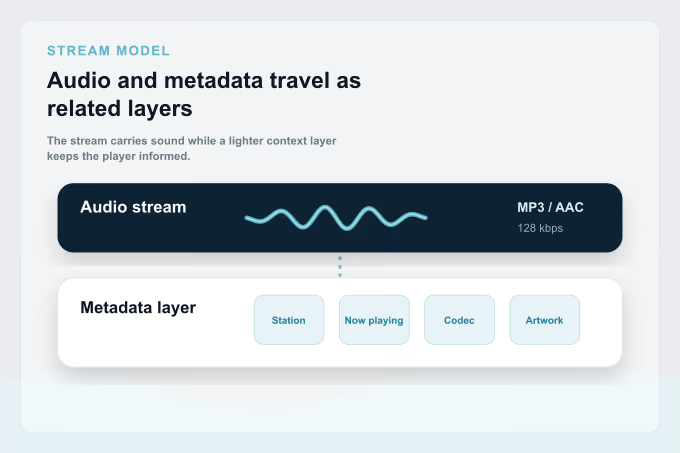
Online radio metadata is the descriptive layer that helps a player explain what is playing. The audio is the sound itself. Metadata is the surrounding context: station name, current song, program, codec, bitrate, genre, language, and artwork.
There are two broad families. Static station metadata describes the broadcaster, such as name, country, language, homepage, tags, and logo. Dynamic stream metadata changes while listening, such as now-playing text, current program, ad markers, or track titles.
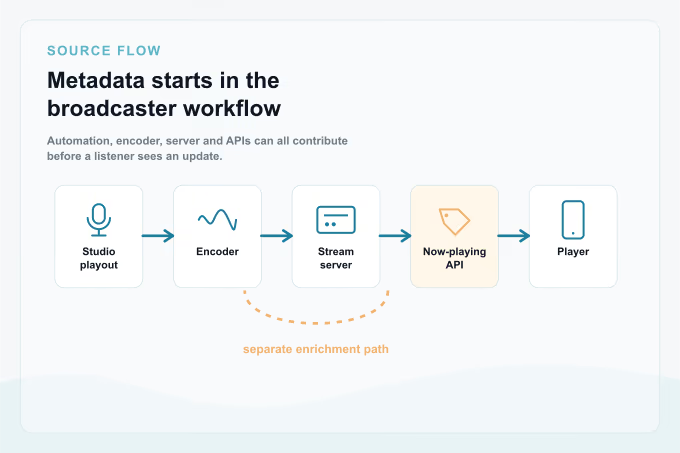
Stream metadata usually starts inside the broadcaster's own operation. A station may use live presenters, automation software, a playout system, an encoder, an Icecast or Shoutcast server, and sometimes public APIs that expose richer program or track details.
The encoder, whether software or hardware, takes live audio and sends it to the streaming server. At that stage it can inject basic data such as station name, genre, description, website URL, bitrate, and codec.
Servers such as Icecast, Shoutcast, and equivalent radio CDNs receive the audio and expose metadata fields that players can read. This is where Icecast metadata, Shoutcast metadata, and CDN-provided stream metadata usually become visible to apps.
Now-playing data often comes from automation or playout tools such as RCS, Zetta, AzuraCast, RadioDJ, MAirList, Rivendell, or similar systems. Those tools push the current song or program into the stream server or a public API.
Station name is the broadcaster's identity, while stream title or now-playing text is the field listeners notice most because it may show the current track or program. Genre and tags describe format, language, talk, news, sports, or music style.
Bitrate describes the stream's kbps and affects both audio quality and data use. Codec describes how audio is compressed, such as MP3, AAC, AAC+, Opus, Ogg Vorbis, or FLAC. Sample rate, often 44.1 kHz or 48 kHz, describes how the audio was sampled before encoding.
Artwork and logos may identify the station, the current track, or a specific program. Description, website, language, and country fields help directories and players organize stations into useful filters.
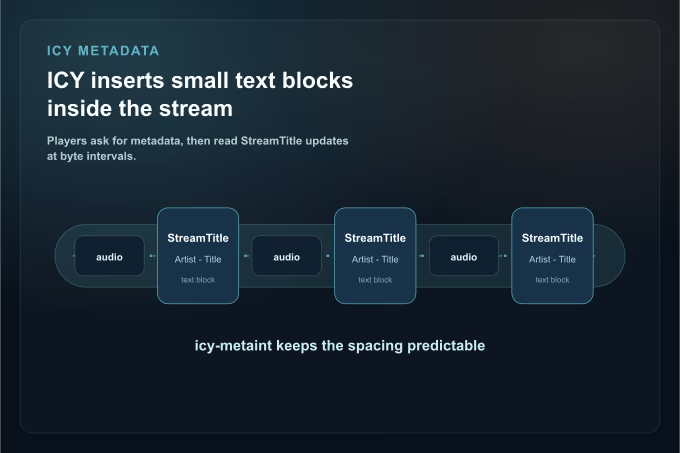
ICY metadata is the most familiar way online radio streams publish now-playing information. It came from the early Shoutcast ecosystem and became widely supported across radio servers, apps, desktop players, and browser-based players.
ICY sends metadata inside the HTTP audio stream by inserting small text blocks after a configured number of
audio bytes. A player typically requests those blocks with Icy-MetaData: 1, and the response
announces the interval through icy-metaint.
Common headers include icy-name, icy-genre, icy-br, icy-url,
icy-description, and icy-pub. Inside the stream, StreamTitle is the
field most often used to update the visible now-playing line.
ICY is simple, compatible, and supported by Icecast, Shoutcast, and many radio CDNs. That is why it remains the practical standard even when more modern metadata paths exist. In browsers, players may still need server support or a backend helper to access ICY fields because cross-origin rules can hide response headers.
ICY is still common, but modern streaming stacks can expose metadata in other ways. These alternatives are often used by broadcasters with video infrastructure, CDN workflows, mobile apps, or richer public data services. They can also provide cleaner timing than plain ICY when audio is delivered as HTTP segments.
HLS uses media segments and playlists. It can carry timed metadata through playlist tags such as
EXT-X-DATERANGE or embedded ID3 frames, which is useful when audio is distributed through modern CDN
infrastructure.
MPEG-DASH can expose metadata through events in the manifest. It is less common in pure online radio than in larger video-oriented broadcast systems, but the event model matters for richer media workflows.
Some broadcasters publish JSON or XML endpoints with the current track, recent history, program name, and artwork. A player can combine that API with the stream to show more detail than ICY alone provides.
Stations that also broadcast on FM or DAB+ may forward RDS or DLS data to the online stream, keeping car radios, broadcast apps, and web players more consistent.
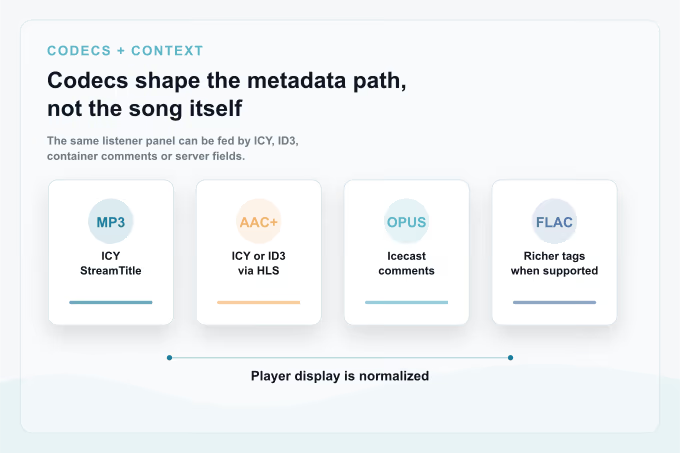
The codec is not metadata, but it affects which metadata mechanisms are likely to appear. MP3 commonly uses classic ICY metadata and has universal playback support. AAC and AAC+ are efficient at lower bitrates and can use ICY or ID3 metadata when packaged in HLS.
Ogg Vorbis and Opus streams may expose container comments or server-provided metadata, especially in Icecast environments, but dynamic now-playing support depends on the server and the player. FLAC streaming is less common in live radio because of bandwidth needs, but it can support richer tags.
Open any station in the web player and watch the metadata update in real time. Some stations show track names, artwork, and program context. Others only expose a station name, which is normal when the broadcaster publishes limited stream metadata.
Online radio metadata quality depends on the broadcaster's own systems. A station can have excellent audio and still expose minimal now-playing data if its automation, encoder, server, or API are not connected.
If the automation system is not connected to the encoder, the stream may only carry the station name. This is common for smaller, community, or live-first stations.
During talk, news, sports, or live shows, there may be no track to show. Some broadcasters publish the program name, some leave the field blank, and some keep the previous song title.
If a station relays another network, metadata may not propagate correctly. The player might see the relay name instead of the actual program or track.
Ads and jingles are often not published as tracks. Some systems mark them as advertising, while others simply do not update the field.

Artwork usually comes from one of three places. A station logo is fixed branding from the broadcaster or a directory. Track artwork is usually resolved by a player through an external catalog or licensed artwork service using the artist and title. Program artwork may come from a broadcaster API.
When track artwork is missing, a player often falls back to program artwork or the station logo. That fallback is expected behavior, not necessarily an error.
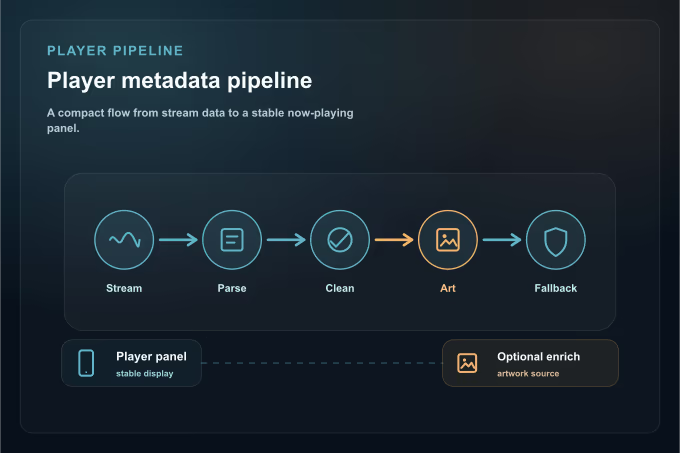
A good radio player needs to connect, parse, normalize, enrich, and fall back gracefully. The goal is not only to read metadata, but to keep the listening experience stable when metadata is missing or malformed.
The player opens the HTTP connection, asks for ICY metadata when available, and starts receiving audio plus periodic metadata blocks. For HLS or DASH, the player may instead read timed metadata from media segments, playlists, manifests, or a separate now-playing API.
It extracts StreamTitle or the equivalent Vorbis or ID3 field, normalizes the text, and may split
Artist - Title when the format is clear. Some stations publish only a show name, slogan, or
station identifier, so a player should avoid assuming every update is a song.
To show artwork, biographies, or lyrics, a player may query external APIs using the artist and title as a search key. This enrichment is optional, can fail when names are ambiguous, and varies by app.
Strong players show the station name as a fallback, avoid flicker when fields change quickly, and handle encoding issues such as Latin-1 versus UTF-8.
Most online radio metadata problems come from the source, not the listener. A player can improve presentation, but it cannot reliably invent information the broadcaster does not expose.
The station may not be sending updates to the server, or the field may be fixed by configuration.
The playout system may be delayed, or a relay may not pass through the original metadata.
Encoding mismatches, often Latin-1 versus UTF-8, can produce broken accents or symbols.
The artwork source may not have a match, the title may be ambiguous, or the current program may not map to album art.
ICY updates are byte-interval based, so lower bitrates can make updates arrive less frequently in time.
Talk, news, and sports formats often publish program names instead of track-level details.
Public stream metadata is controlled by the broadcaster. Third-party players such as WorldTune display what each broadcaster chooses to expose and should not invent track, program, authorship, or rights information.
Artwork resolved externally comes from public catalogs or licensed services depending on the player. Availability, regional access, rights, and metadata accuracy remain under each broadcaster's control.
Think of an online radio station as two parallel channels: one carries the sound, and the other carries the story of that sound. The quality of each channel depends on different broadcaster decisions, and understanding that separation explains most of what a listener sees in a player: why now-playing data updates, why artwork appears, and why some streams show only a station name.
WorldTune reads publicly available radio streams and displays the metadata each broadcaster chooses to expose. For a hands-on workflow to find and save stations, read the online radio guide. For background on how the medium evolved, read the history of online radio.